Reinstall
Restart the installation flow if you need to reinstall VIKTOR or set it up on a new computer. This does not delete your app code.
Before you start
Sign in to the VIKTOR account you used for the previous installation.
Choose your setup:
- Install on my computer: install Python and VIKTOR locally on Windows or Linux.
- Use GitHub codespaces: develop in your browser, for example if you use macOS or cannot install software locally.
Restart the installation
On macOS, the Codespaces setup opens directly after step 3. Continue with step 6 in that case.
-
Click Settings in your user menu to open Personal settings.
-
Click Local development in the menu.
-
Click Reinstall VIKTOR in the Reinstall VIKTOR section.
-
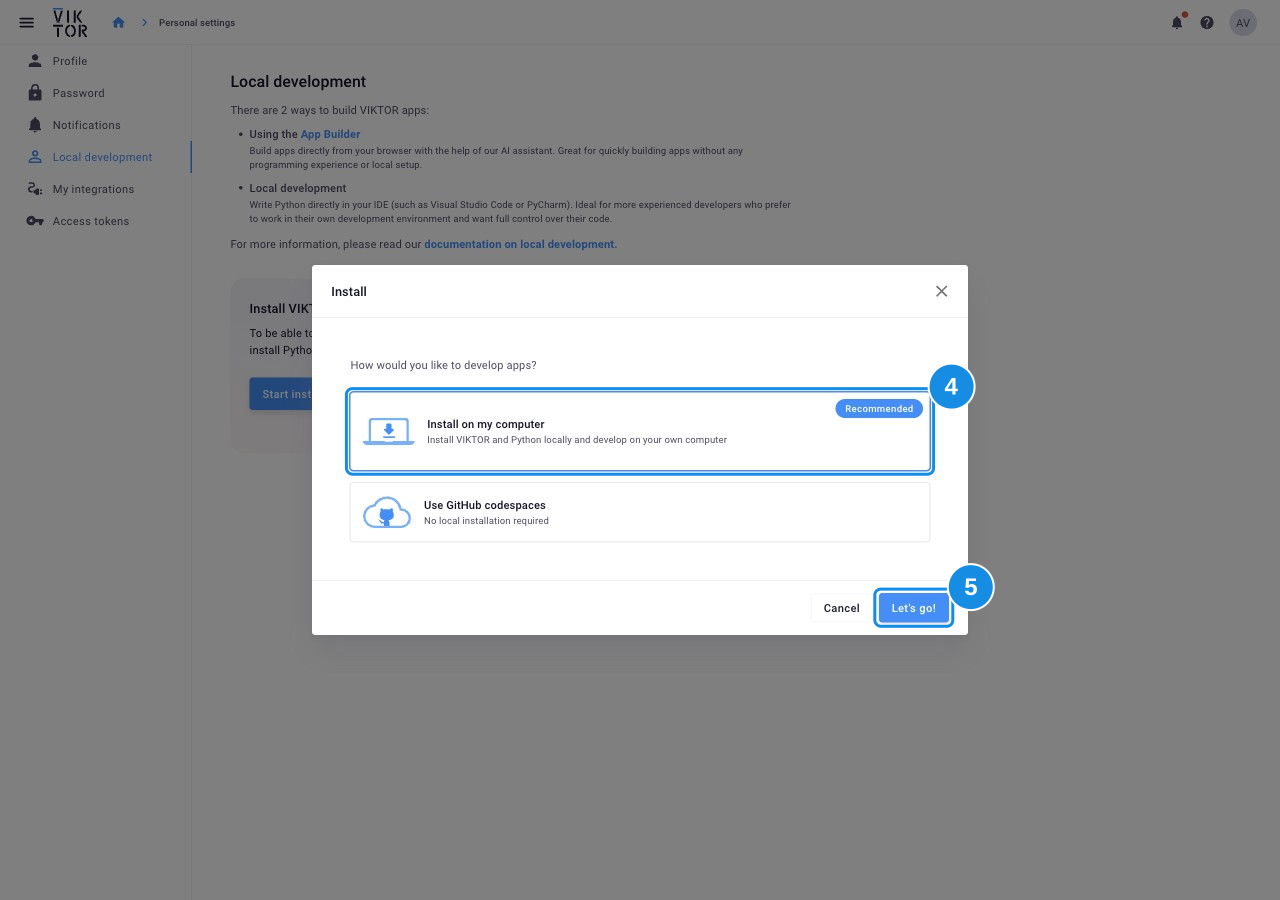
Select your setup in the pop-up.
-
Click Let's go!.
-
Follow the remaining installation steps in the pop-up.
Check your setup
Use the check for your selected setup:
Continue with the starter guide to create your first app.