Standard installation
Install Python and the VIKTOR command-line interface (CLI) on your computer to develop apps locally.
Before you start
Sign in to your VIKTOR account. Your computer must meet the device requirements. If you use macOS or cannot install software on your computer, use GitHub Codespaces.
Install VIKTOR
-
Click Settings in your user menu to open Personal settings.
-
Click Local development in the menu.
-
Click Start installation in the Install VIKTOR section.

-
Select Install on my computer in the pop-up.
-
Click Let's go!.
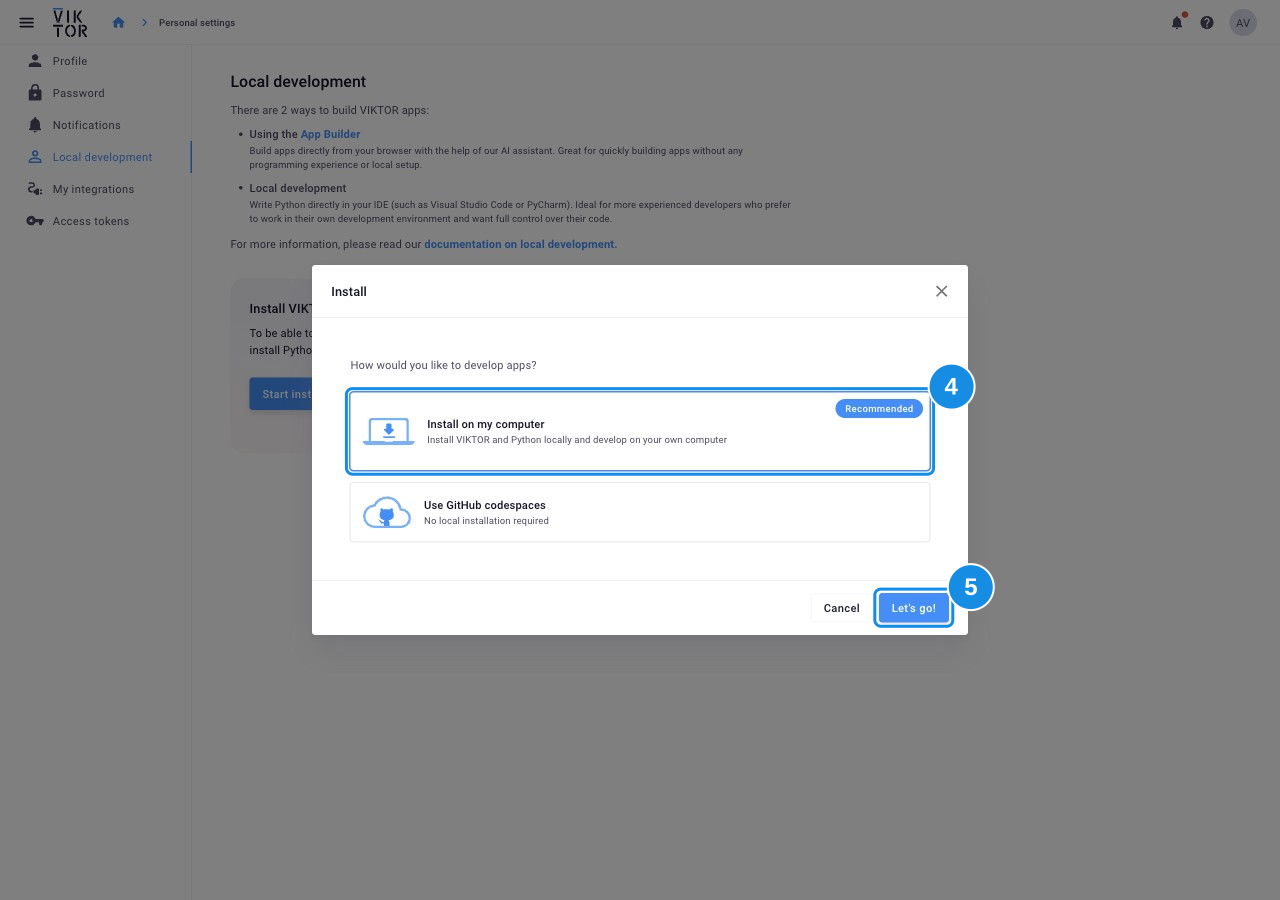
- Follow the remaining installation steps in the pop-up.
Check the installation
After activation, Local development shows VIKTOR is installed on your computer. In a new terminal, run:
viktor-cli check-system
All checks should pass. If a check fails, follow the explanation printed by the command. If the command is not found, restart your terminal. For more help, see the installation FAQs or the CLI reference.
Continue with the starter guide to create your first app.
FAQs
I get a warning that "viktor-cli-installer.msi isn't commonly downloaded". How do I proceed?
Keep the installer using your browser's download controls:
- Click Keep.
- Click Show more.
- Click Keep anyway.
The animation below shows these controls:

Windows Defender does not allow me to install the VIKTOR CLI
Use Run anyway to open the VIKTOR installer. Windows Defender can show a warning before the installer starts:
- Click More info.
- Click Run anyway.

What if I'm not allowed to install VIKTOR on my computer at my company?
Use the App Builder to build apps in your browser. If you need to write Python code, use GitHub Codespaces.
Couldn't find an answer to your problem? Our developers are ready to help you on the Community Forum